Integrating Zapier Webhooks with Blitzit
This integration lets you send tasks from other apps to Blitzit automatically using webhooks via Zapier.
Setting Up the Integration in Blitzit
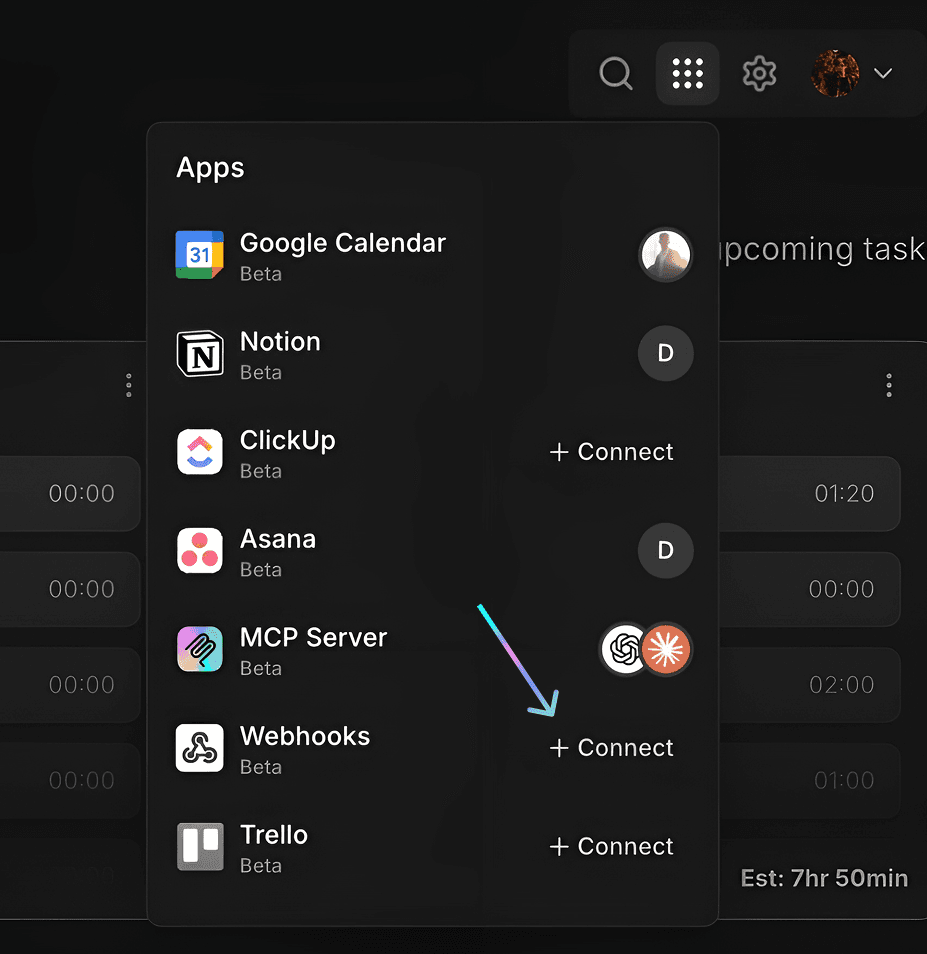
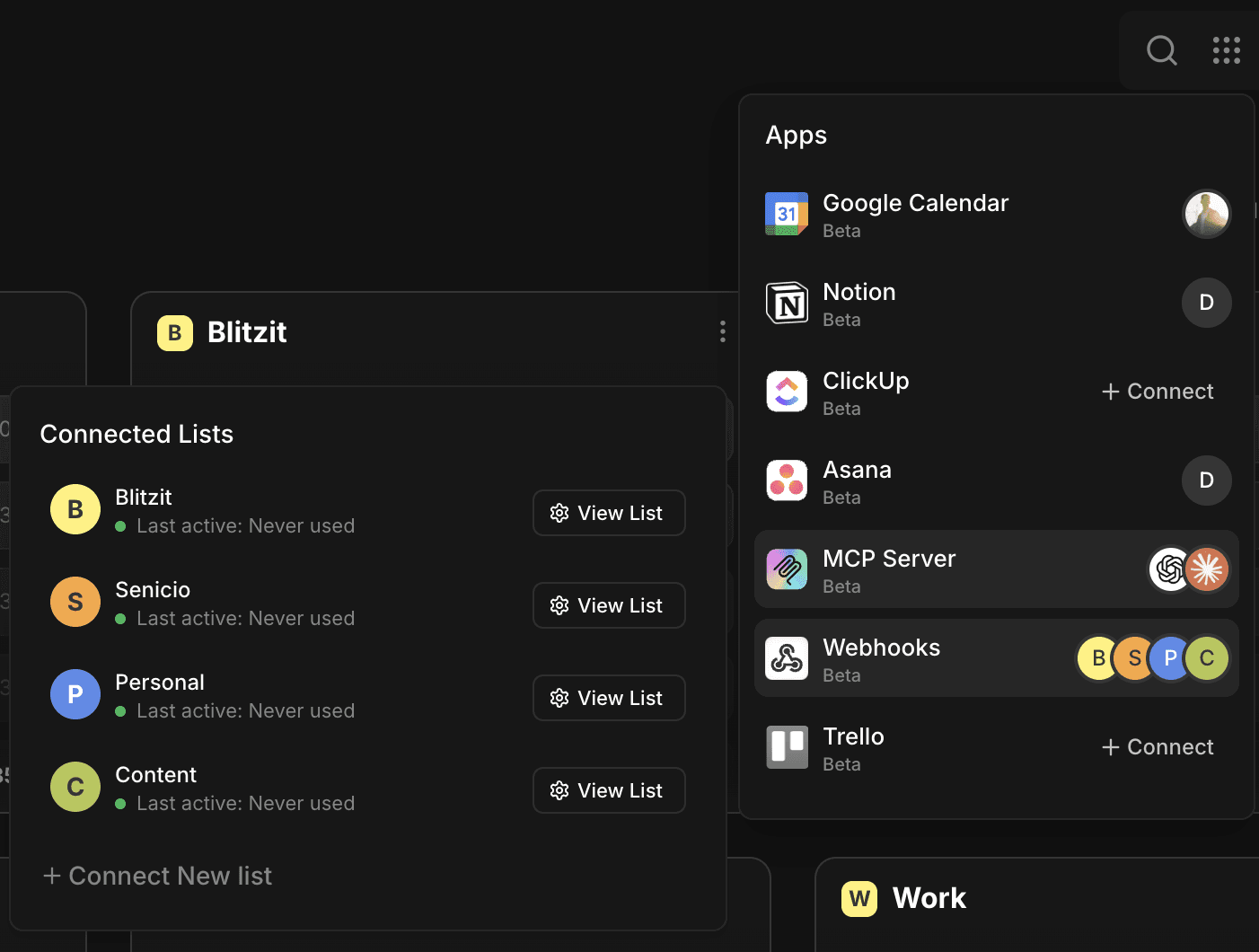
Go to Integrations (⋮⋮⋮ button on the top right), then select Webhooks.
Select the lists you want to connect.
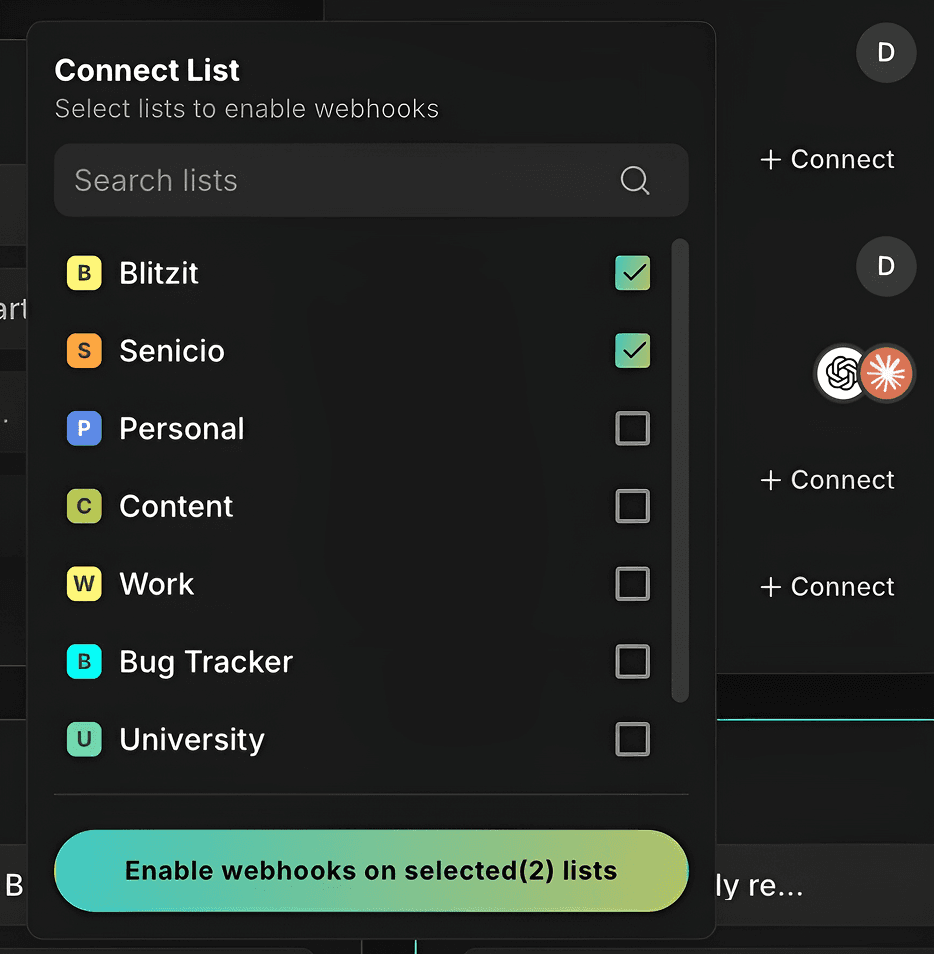
Click Enable webhooks on selected list(s) to confirm.
Open any connected list and click the Webhooks icon (top right) to view settings.
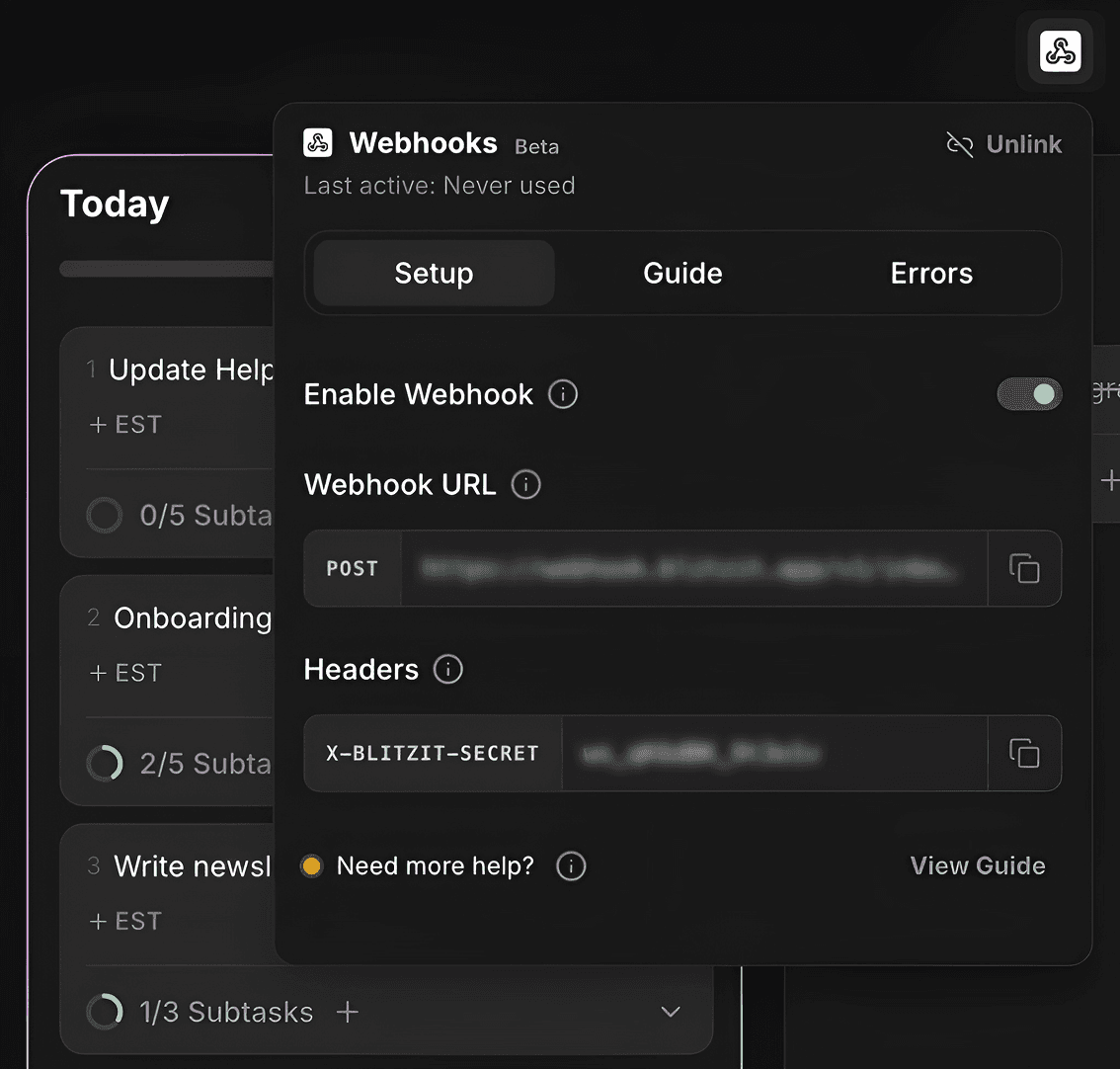
Copy the Webhook URL and Header with Signing Secret (blurred on screenshot). You’ll need these for Zapier.
Note: Each Blitzit list has its own unique Webhook URL and Signing Secret.
Creating the Zap in Zapier
For the purpose of this guidance, let's set up a connection between Blitzit and Todoist.
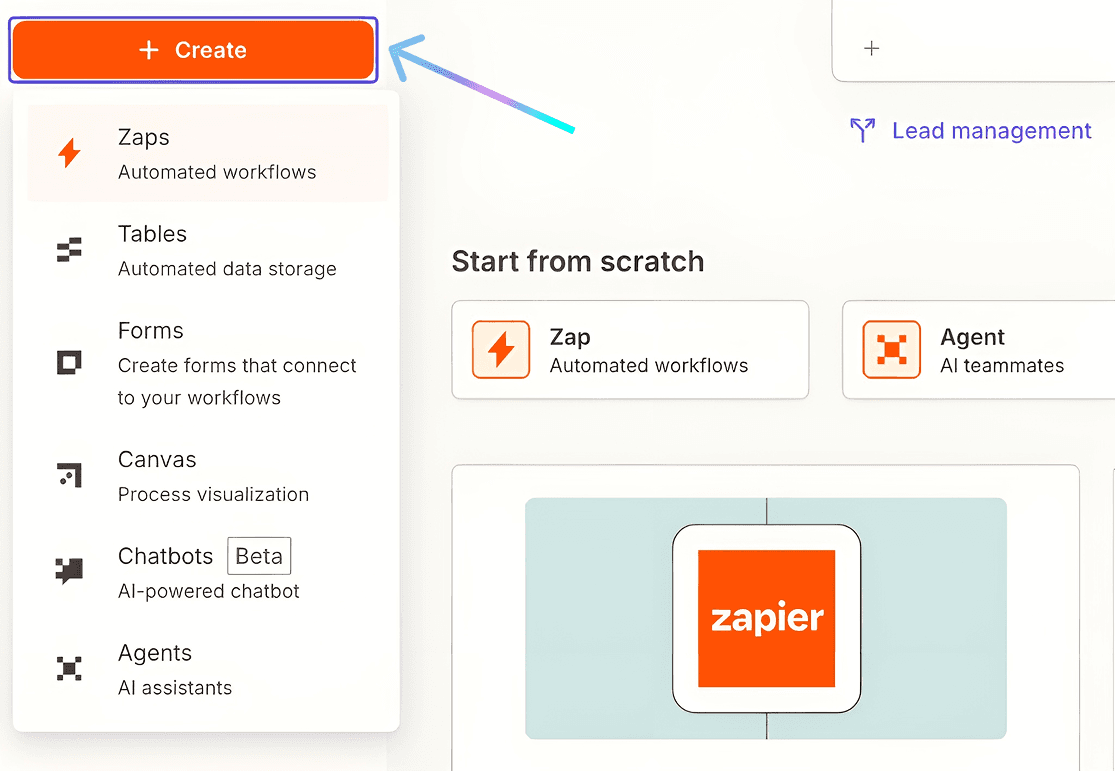
Go to Zapier, press + Create on the top left and click Zaps to start creating.
Describe your connection to Copilot AI: "I want to get tasks from Todoist and send them to Blitzit via Blitzit Webhooks".
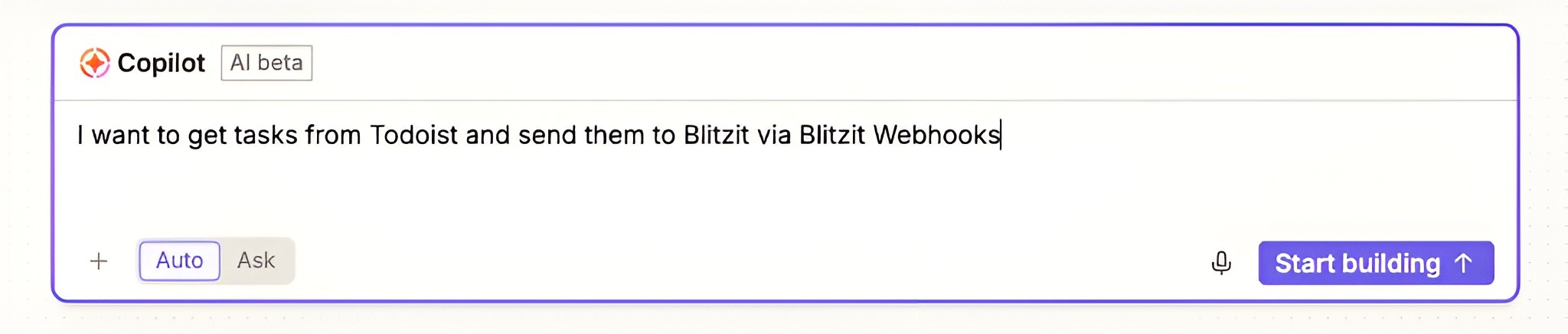
Click Start building and wait for AI setup.
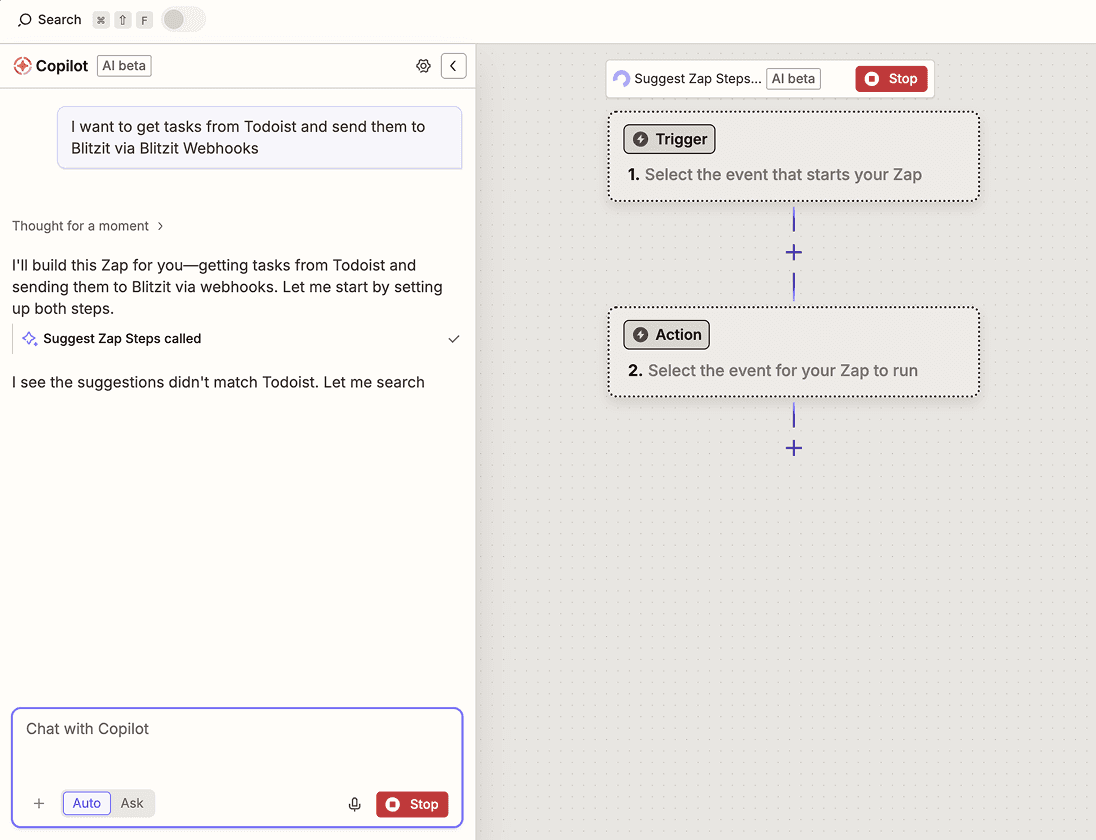
In the left chat window, click Sign in to Todoist (blue button), then Allow access.
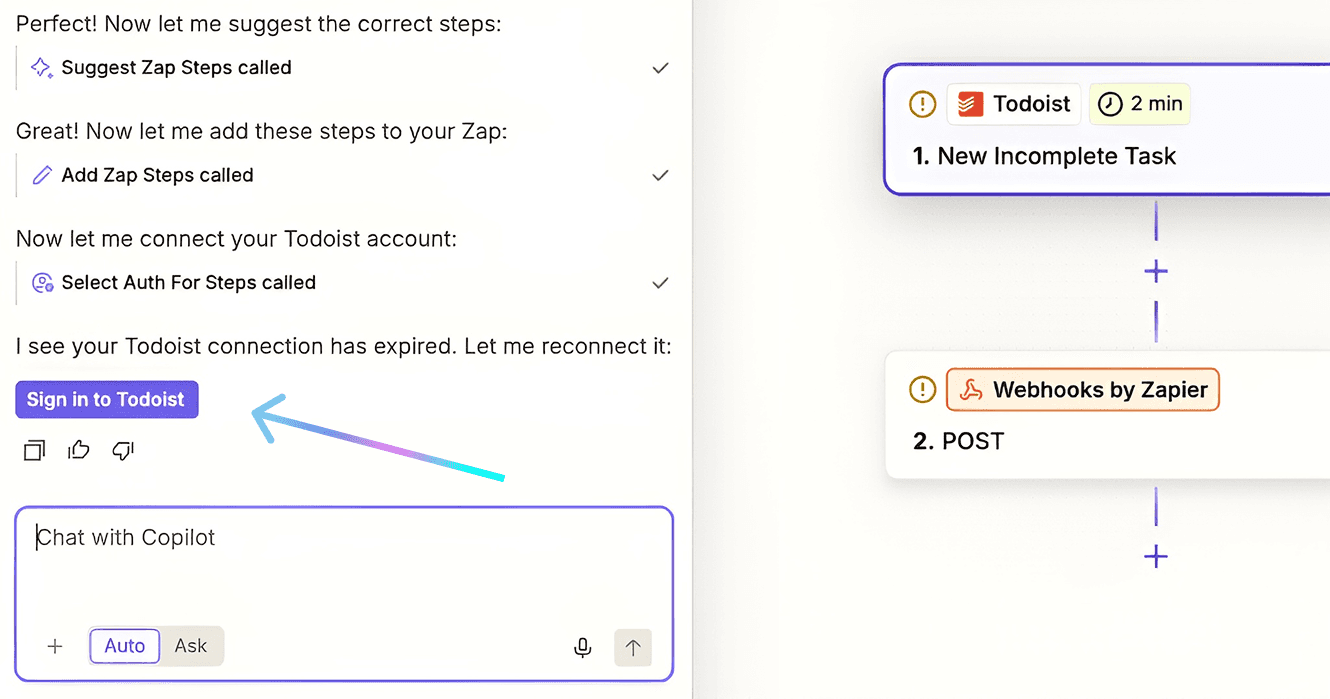
In the right window, click Continue until you reach the configurations screen (see screenshot below).
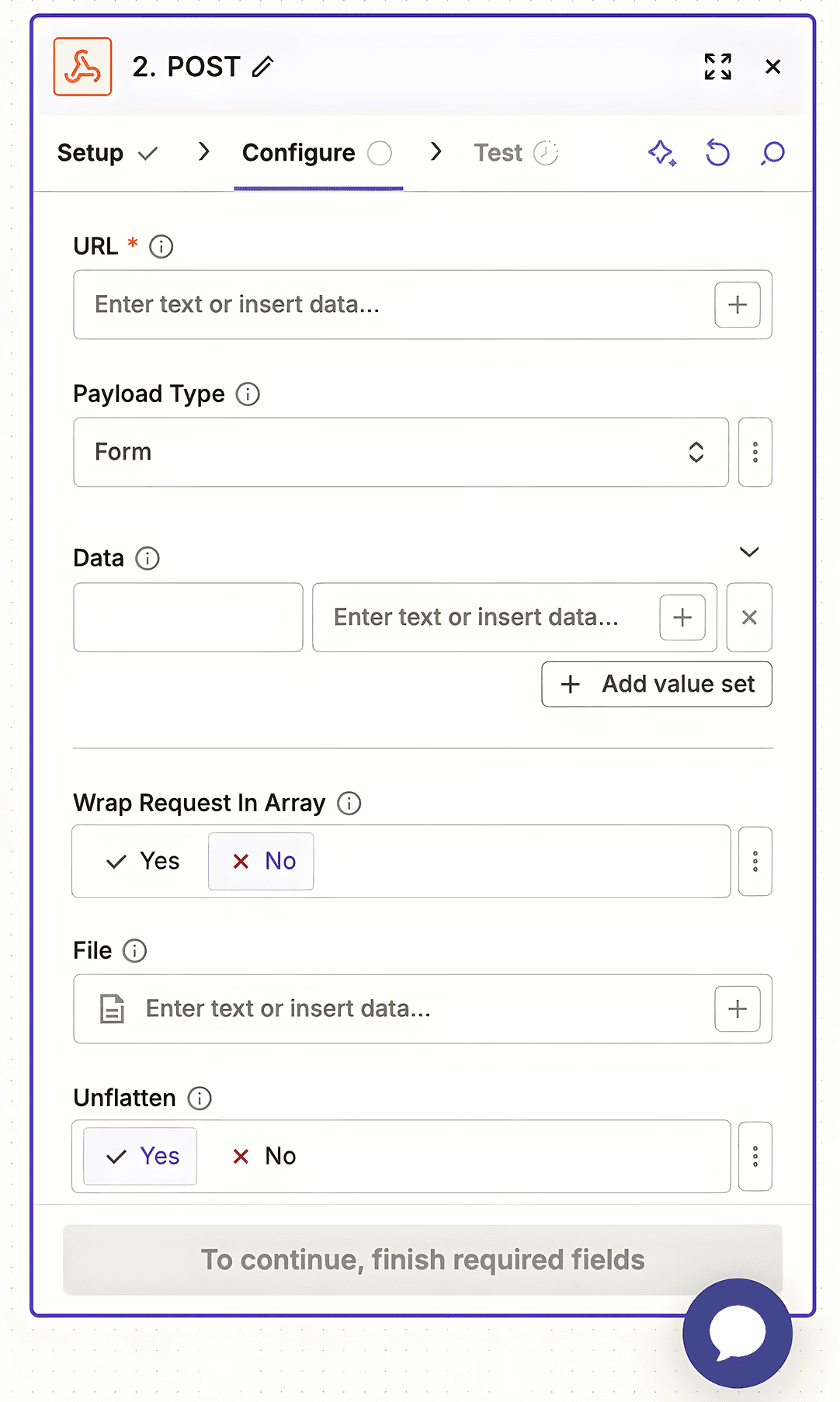
Configuring the Webhook Action
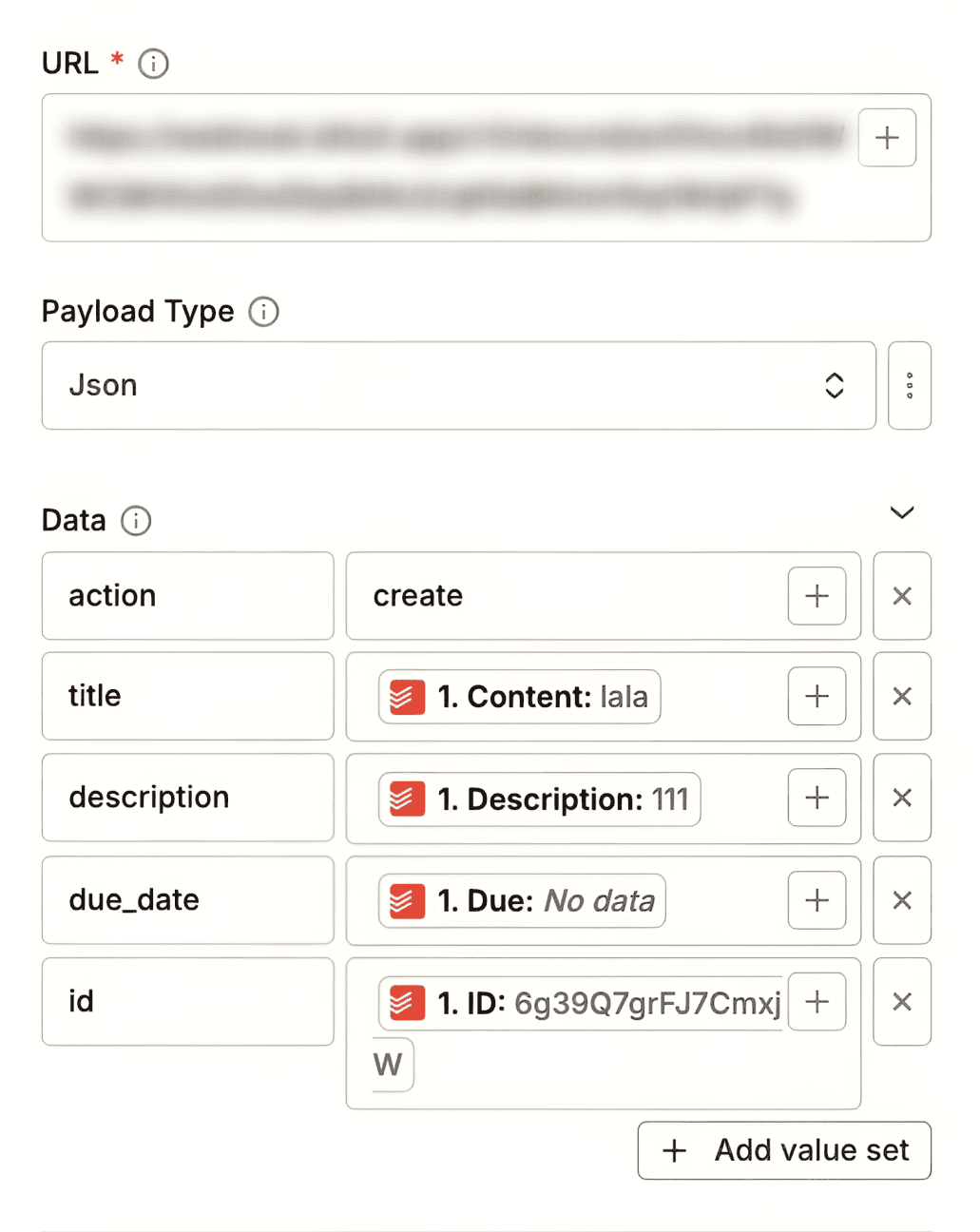
URL field: Paste your Blitzit Webhook URL.
Payload Type: Select Json.
Data section: Add the field pairs:
action→createtitle→ Type/and select Contentdescription→ Type/and select Descriptiondue_date→ Type/and select Dueid→ Type/and select ID
Note: you can also include optional fields such as
urlorestimateif needed. For a complete list of supported fields, open the Guide tab inside the relevant list (see the Using the Integration section below for details on where to find it).
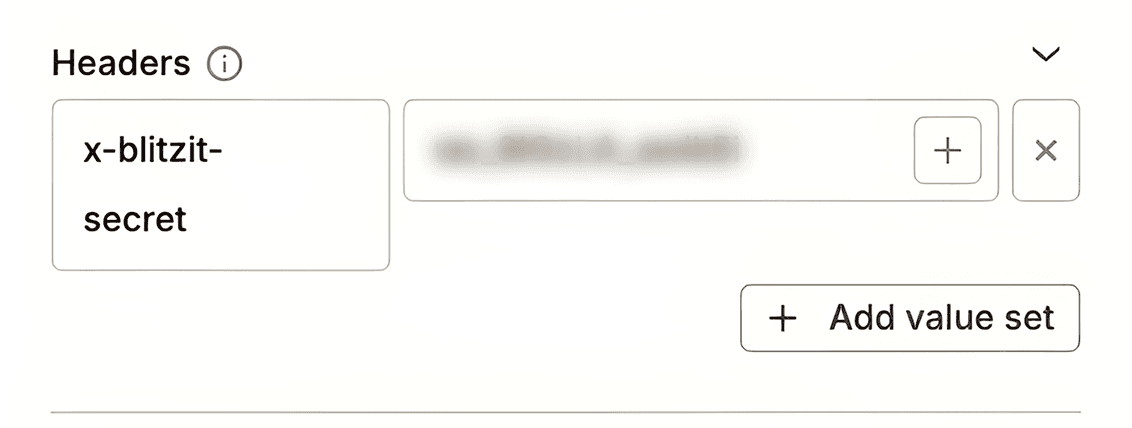
Headers section: Add one pair:
x-blitzit-secret→ Paste your Blitzit Signing Secret.
Click Continue.
Click Test run (top right), then Test run in the left chat window.
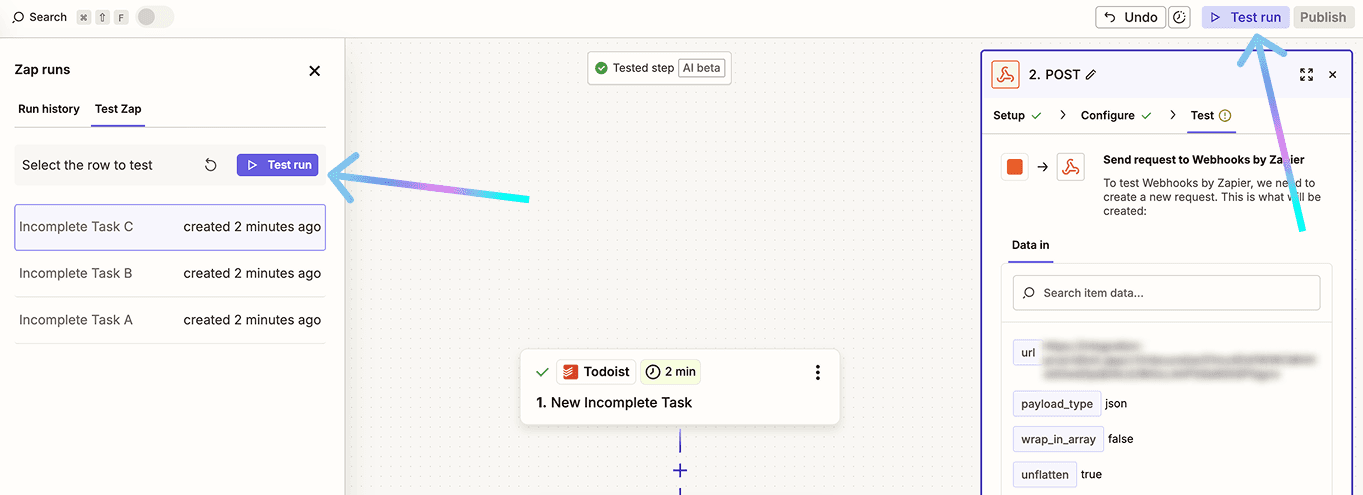
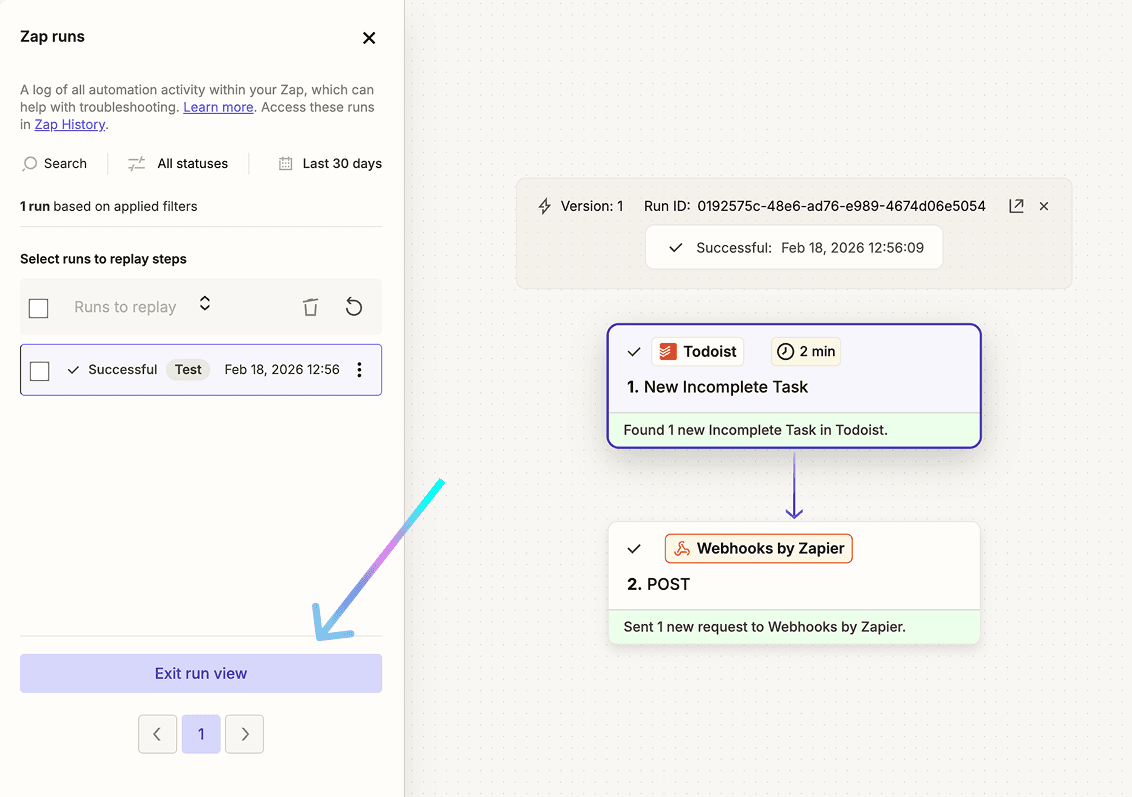
Check if the test task appears in Blitzit, then click Exit run view (bottom left).
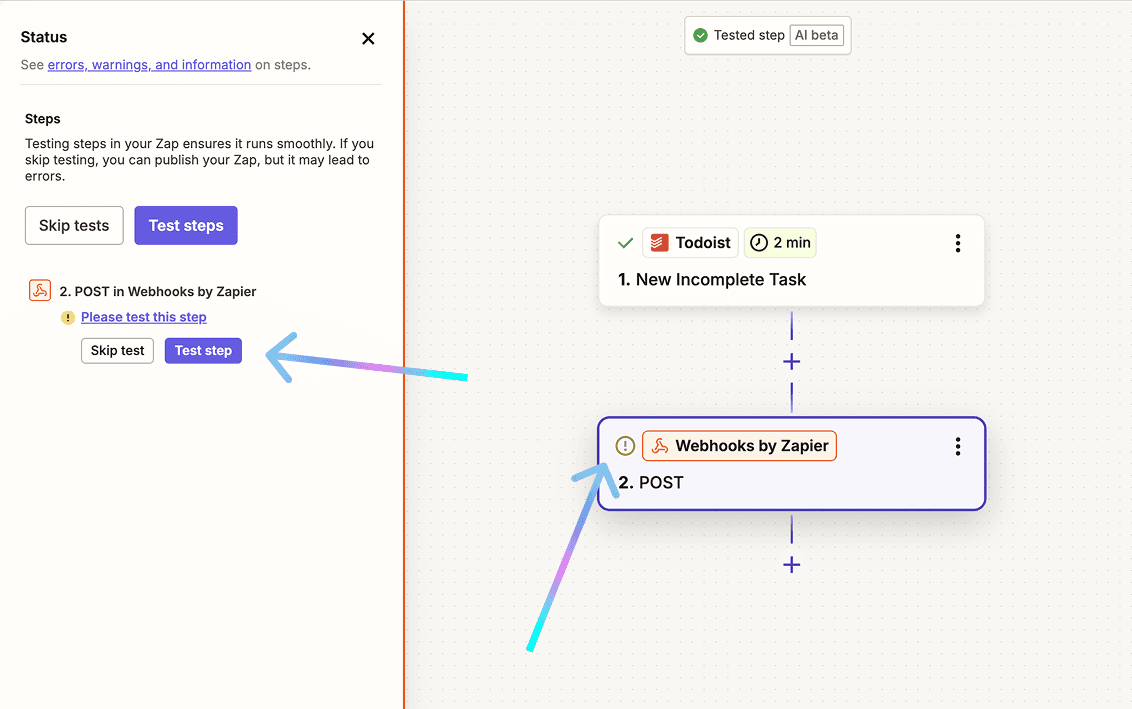
If Zapier shows an exclamation mark next to a step, click it and select Test step to run another test.
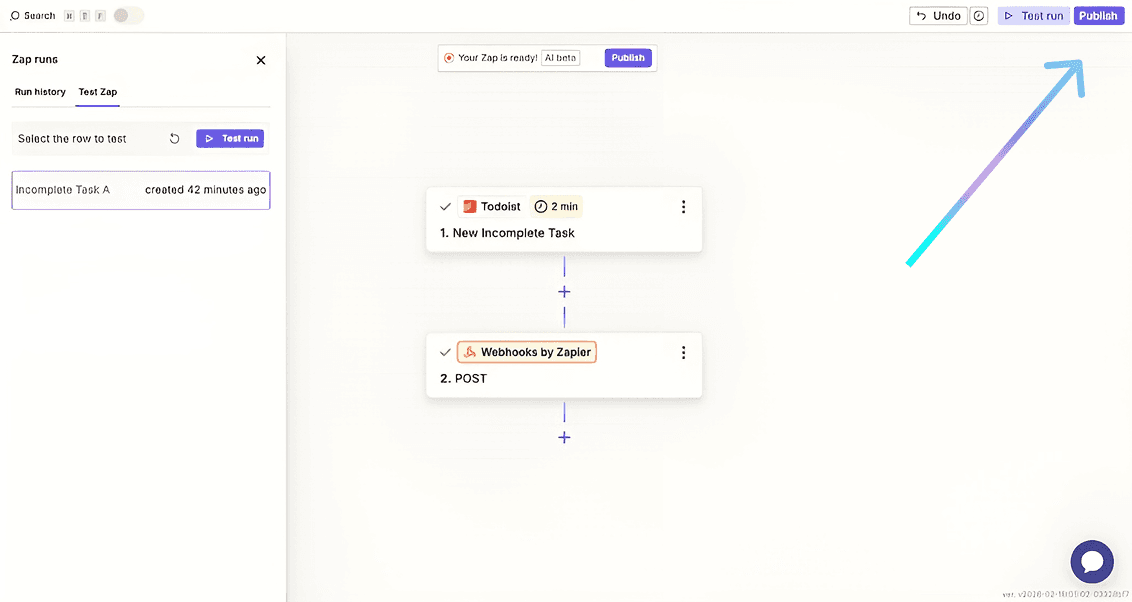
Once all checks pass, click Publish (top right).
New Todoist tasks will now sync to your Blitzit list (it may take a few minutes with Zapier). Test by creating a task in Todoist.
Similar to this, you can connect webhooks with any app of your choice.
Note: This integration is one-way only. We're working on two-way support and appreciate your feedback.
Using the Integration
In the Home screen in Blitzit, you can open the Integrations dashboard (⋮⋮⋮ > Webhooks) to:
View all connected lists
Click View List to open any list
Click Connect New list to add more
In any connected list, clicking the Webhooks icon (top right) opens settings with:
Toggle to enable or disable the webhook
Unlink button to disconnect the list completely
Guide tab that shows payload field references
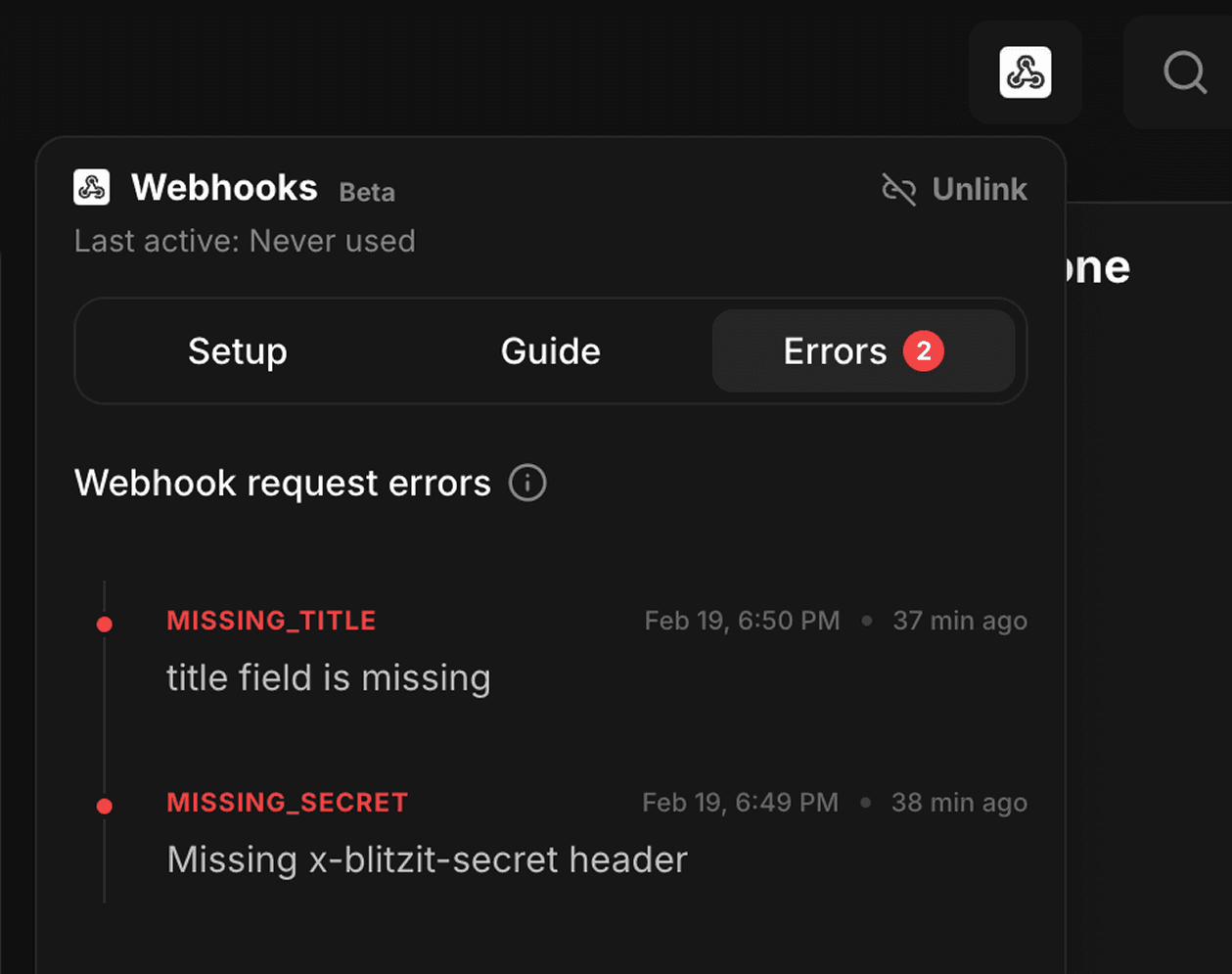
Errors tab that shows issues (if any)