Blitzy is an integrated AI assistant in Blitzit that helps you create tasks, update them, organize your lists, and speed up your workflow with minimal effort.
You can communicate with Blitzy using text or voice.
Opening Blitzy
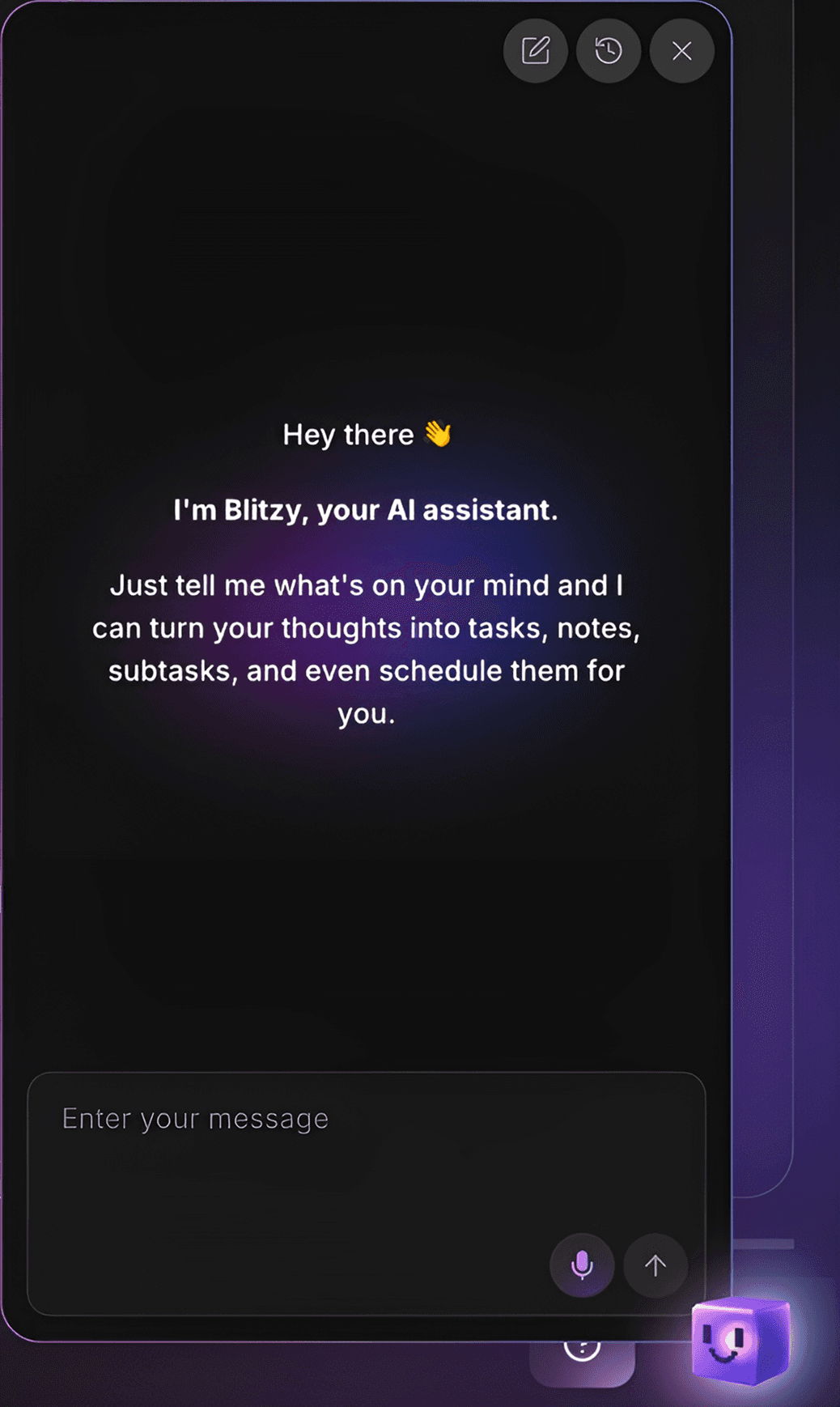
Click the Blitzy icon in the bottom-right corner.
A chat window will appear. You can now interact with Blitzy using text or voice commands.
Creating Tasks
Blitzy can generate complete tasks for you, including:
Task titles
Subtasks
Notes
Scheduling
Estimated time
Placement into the correct list
Example
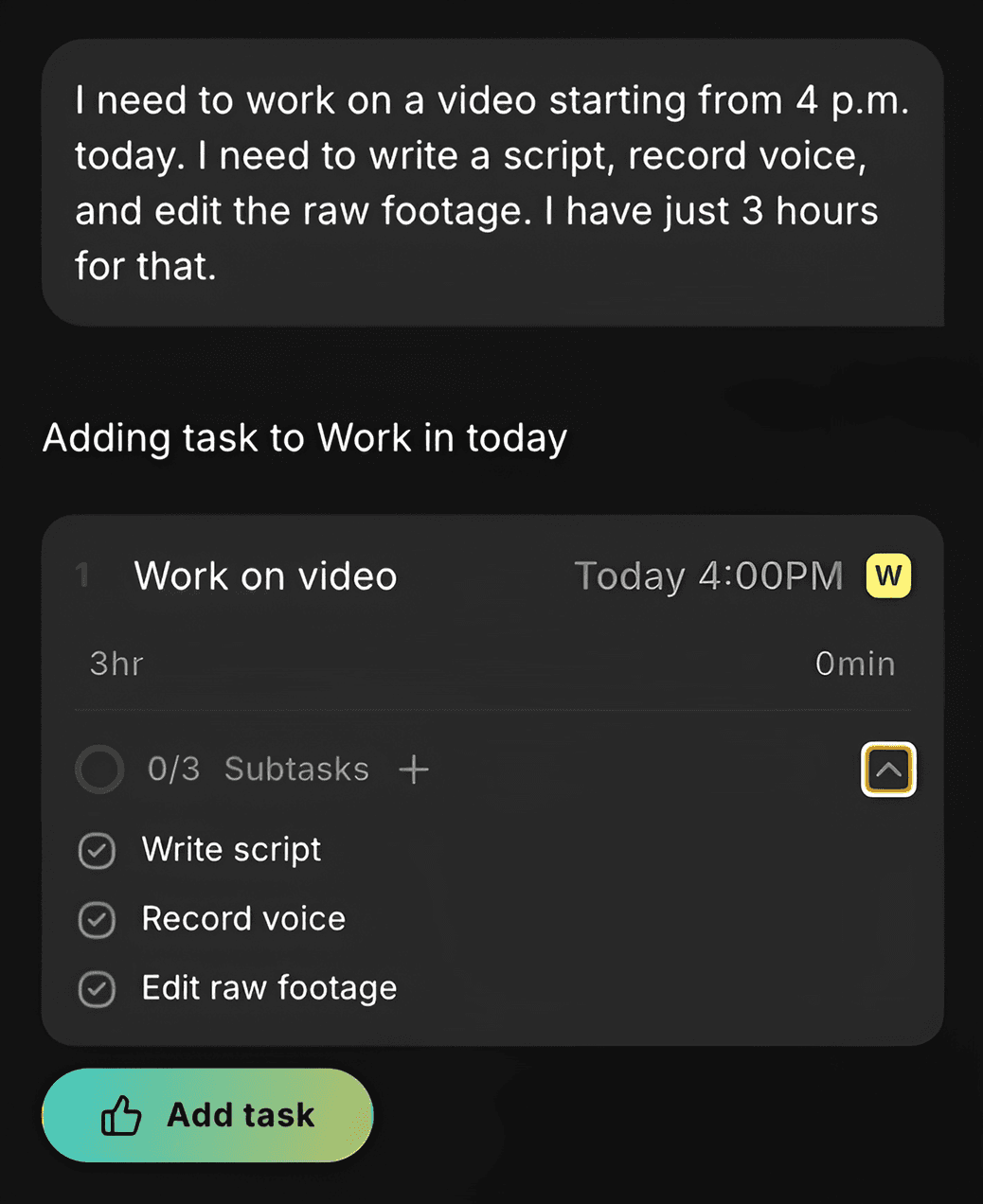
You can type or say something as natural as:
“I need to work on a video starting from 4 p.m. today. I need to write a script, record voice, and edit the raw footage. I have 3 hours for that.”
Blitzie will:
Create a task named Work on video
Schedule it for today at 4 p.m.
Add subtasks ("Write a script", "Record voide", "Edit the raw footage")
Add your estimated time
Suggest adding the task to the currently open list
Updating a task before saving
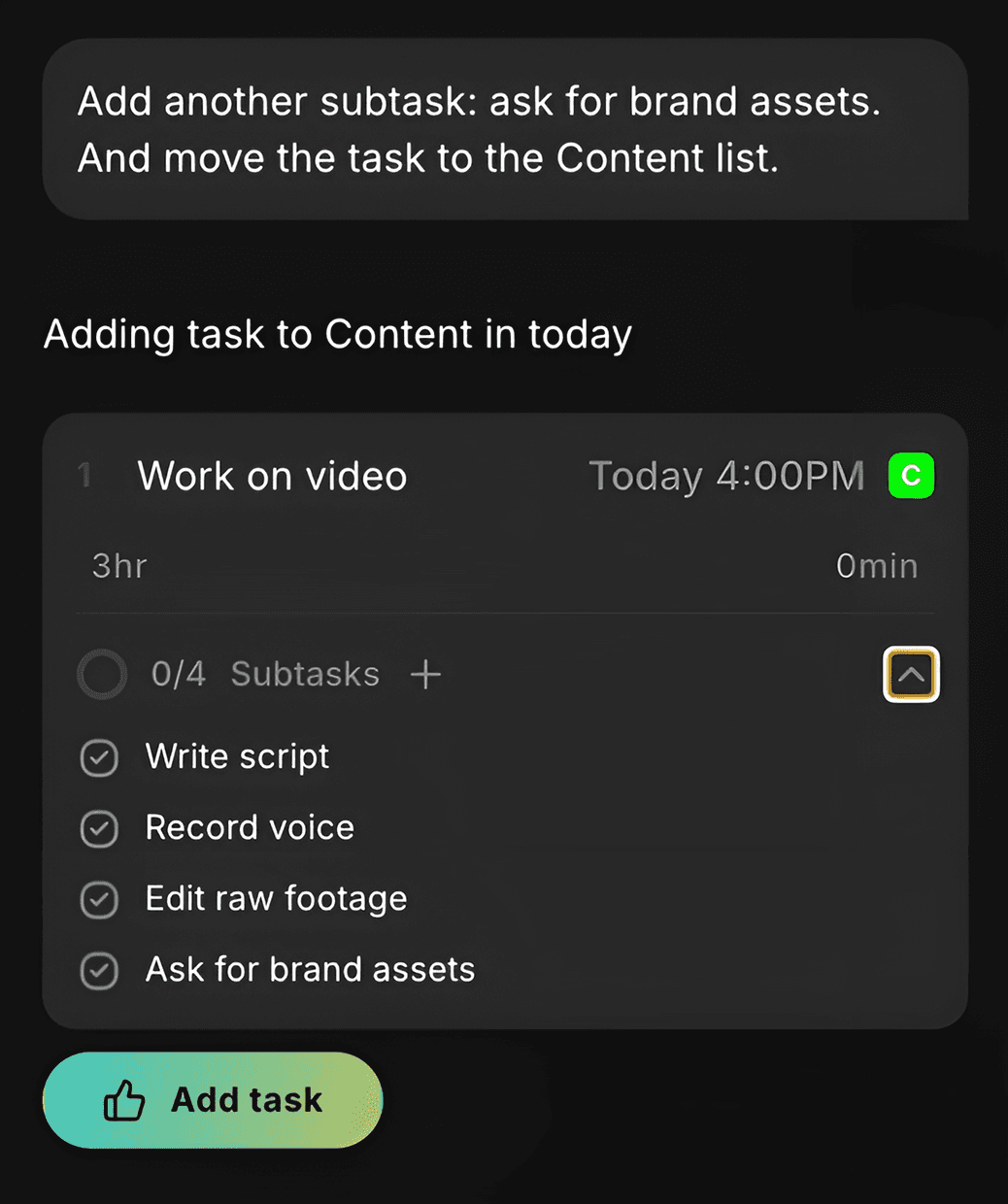
If you need to adjust anything, simply continue the conversation:
“Add another subtask: ask for brand assets. And move the task to the Content list.”
Blitzy will update the task accordingly.
You can keep refining it or adjust the task manually.
Once everything looks correct, click Add task.
You’ll see it placed in the appropriate column (for example, Today).
Editing Existing Tasks and Lists
Blitzy can also modify anything you’ve already created.
Editing lists
Simply describe what you want to change:
“Rename Content list to YouTube Content Plan.”
Editing tasks
To reference a specific task, type @ and select the task you want to update.
You can ask Blitzy to:
Rename a task
Add or edit subtasks
Add notes
Adjust the schedule
Log time spent
Move the task to another list
Move the task between Backlog, This Week, or Today columns
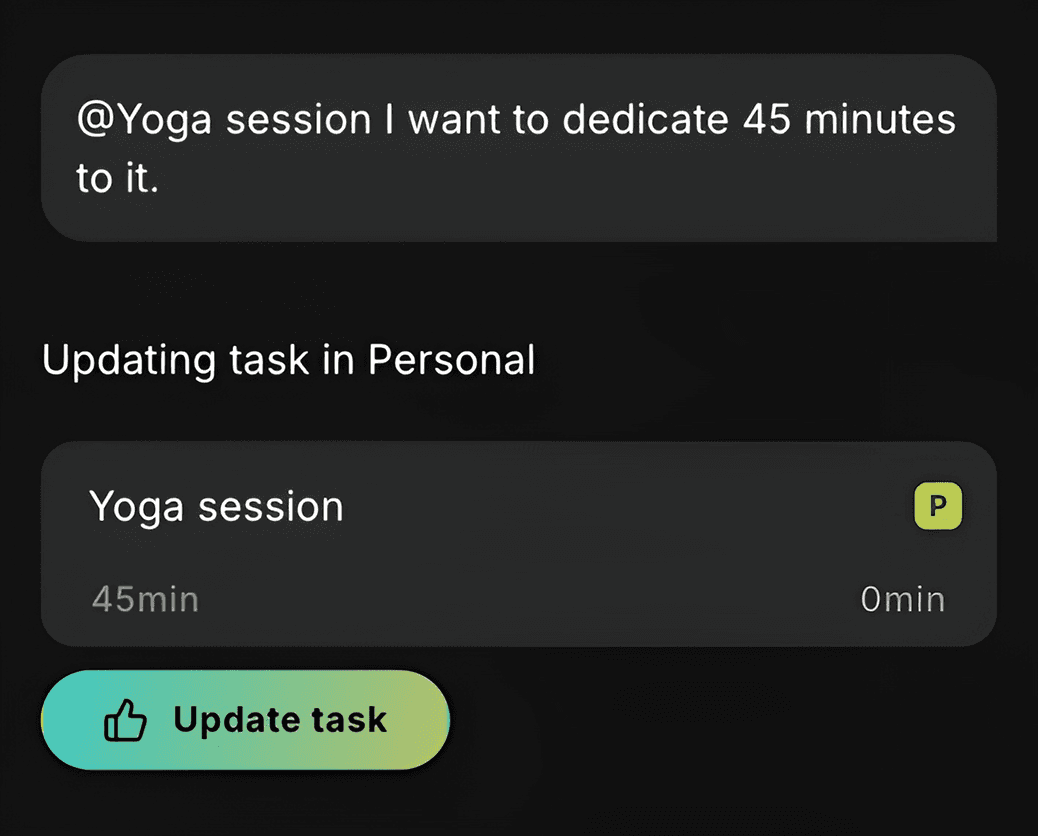
Example
“@Yoga session — I want to dedicate 45 minutes to it.”
Blitzy will add EST to the task and will ask you to confirm the change before applying it.
Coming Soon
Blitzy will keep getting more powerful. Upcoming capabilities include:
Smart daily prioritization
Automatic flagging of important tasks
Recording meeting notes and turning them into actionable tasks
Workflow analysis to help you stay focused and reduce burnout
More advanced voice and task automation features