
You’re drowning in tasks, juggling deadlines, and searching for a better way to manage it all. AI productivity tools are no longer just flashy tech trends; they’re quickly becoming essential to how modern teams operate. They mark the difference between teams that thrive under pressure and those that struggle to keep up.
Whether you want to reclaim hours in your workday or finally bring order to your inbox, the right AI tools can fundamentally change how you work. If you’re already using a tool like Blitzit to stay focused and organized, you’re ahead of the curve. Still, that’s only the beginning of what today’s AI assistants are capable of delivering.
Understanding AI Productivity Tools And Their Impact
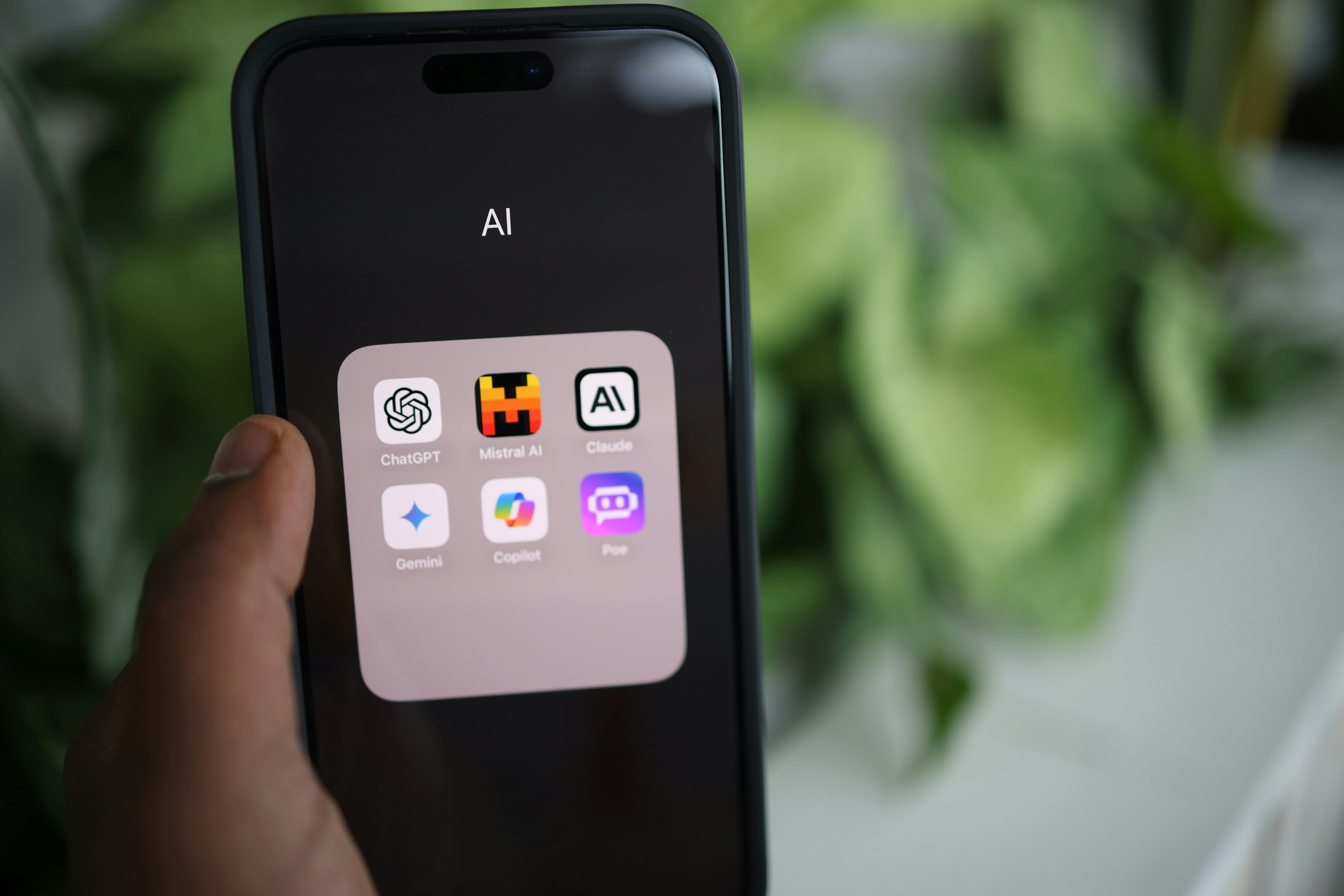
AI productivity tools have evolved from simple automation scripts to sophisticated systems powered by large language models like GPT-4o and Claude. These aren't your typical productivity apps, they're intelligent assistants that understand context, learn from patterns, and get smarter the more you use them.
The numbers tell a compelling story. Organizations implementing AI productivity solutions report efficiency gains between 20% and 50% in key workflows. That's not just marketing fluff. When you're using AI to handle scheduling conflicts, draft initial content, or analyze data patterns, you're reclaiming hours that used to disappear into repetitive tasks.
But here's what makes modern AI tools different: they don't just automate, they augment. Instead of replacing your workflow, they enhance it. Think of them as incredibly capable assistants who never need coffee breaks and can process information at superhuman speeds. They handle the grunt work while you focus on strategy, creativity, and decision-making.
Core Categories Of AI Productivity Solutions
Writing And Content Creation Tools
Content creation has become one of AI's strongest domains. ChatGPT doesn't just write emails, it codes, debugs, and can explain complex concepts in simple terms. Grammarly goes beyond spell-checking to refine your tone and ensure your message lands exactly as intended. And then there's Gamma, which transforms rough ideas into polished presentations without the usual design headaches.
What's particularly interesting is how these tools complement focused work sessions. When you're in flow state with a tool like Blitzit keeping you on track, having an AI assistant handle the heavy lifting on content drafts means you maintain momentum without context switching.
Task Management And Automation Platforms
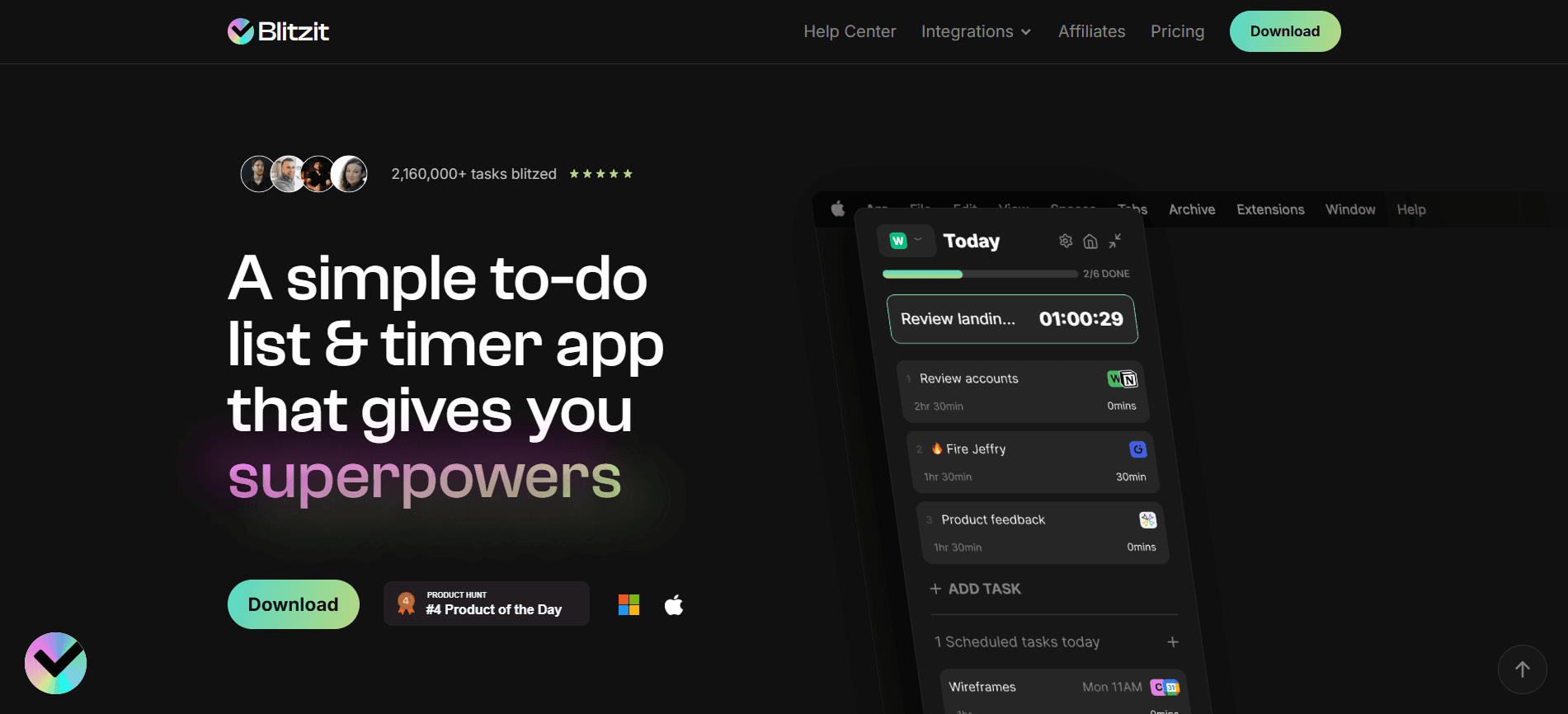
Motion takes the guesswork out of scheduling by automatically organizing your calendar based on priorities and deadlines. It's like having a personal assistant who understands the difference between urgent and important. Zapier, meanwhile, builds bridges between your apps, creating workflows that run themselves, no coding required.
Notion deserves special mention here. It's evolved into a central nervous system for teams, combining databases, documents, and now AI capabilities that can query your entire workspace. Imagine asking "What were the key points from last month's strategy meeting?" and getting an instant, accurate summary.
Communication And Collaboration Assistants
Meeting transcription used to be a dreaded task. Now, Fireflies sits quietly in your calls, capturing every detail and even identifying action items. Missive brings all your communication channels into one unified inbox, using AI to prioritize and categorize messages so nothing critical gets buried.
Asana's AI features predict your next steps based on project patterns, suggesting task assignments and flagging potential bottlenecks before they become problems. It's proactive project management that works.
Key Features To Look For In AI Productivity Tools
Integration Capabilities
The best AI tools don't exist in isolation. Motion syncs seamlessly with your calendar ecosystem. Zapier connects to thousands of apps, turning them into a unified automation powerhouse. Asana plays nicely with Slack, GitHub, and virtually every tool your team already uses.
This interconnectedness matters because productivity isn't about having the shiniest tool, it's about creating systems that work together. When your focus timer in Blitzit can trigger automated workflows in other apps, or when your AI writing assistant can pull context from your project management tool, that's when real productivity gains happen.
Customization And Learning Abilities
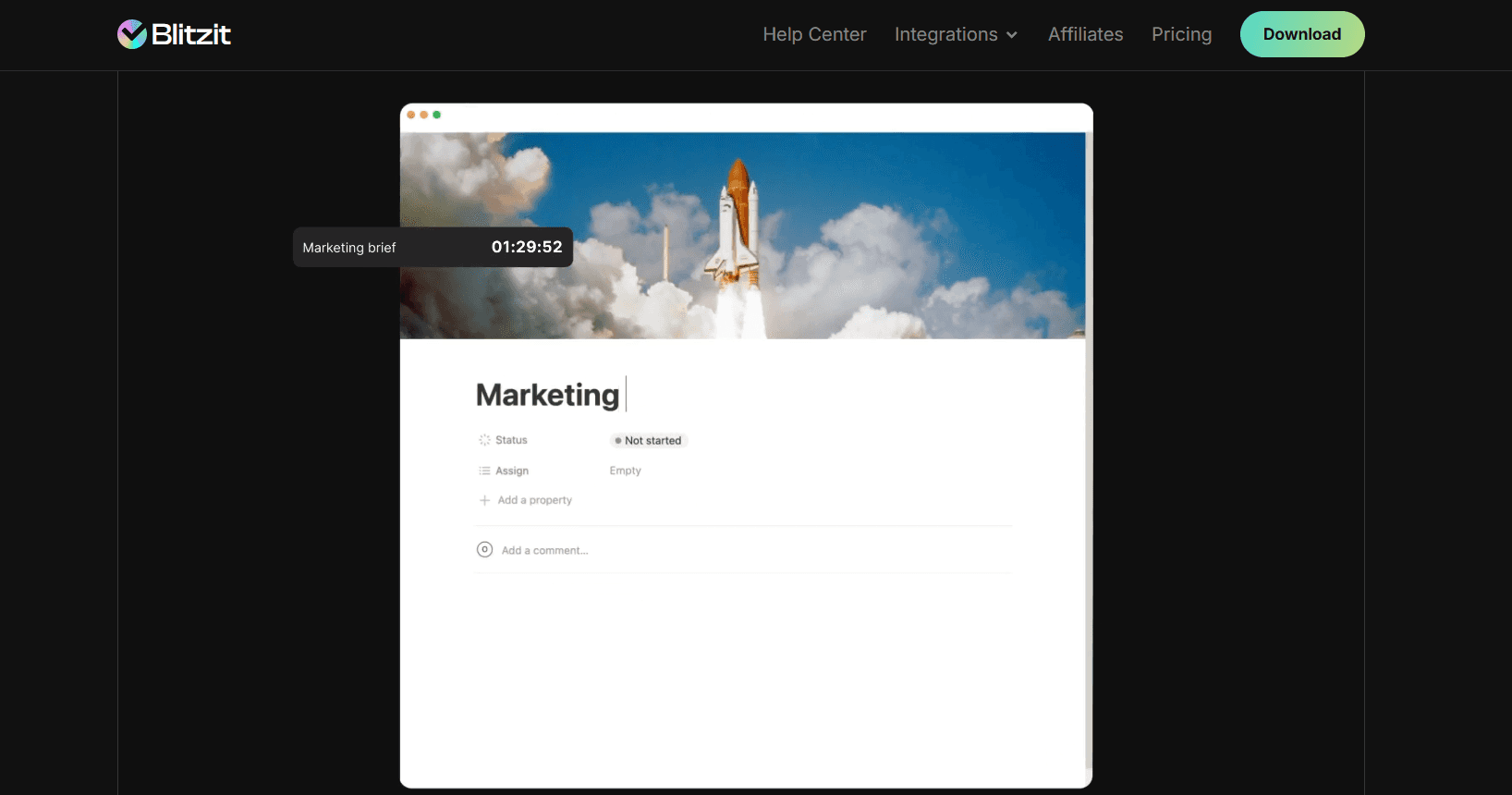
Generic solutions rarely solve specific problems. That's why adaptability is crucial. Notion AI learns from your workspace data, understanding your terminology and project structures. Perplexity doesn't just search, it cites sources, uses multiple language models, and lets you choose the AI engine that best fits your needs.
HiveMind takes this further by generating tasks contextually based on your project history. It's not just following templates: it's understanding patterns and suggesting improvements. The AI gets smarter about your work style, deadlines, and preferences over time.
Implementing AI Tools In Your Workflow
Assessment And Selection Process
Start by identifying your biggest time drains. Are you spending hours on research? Perplexity might be your answer, at $20/month for the Pro version, it can compress hours of research into minutes. Drowning in scheduling conflicts? Motion's auto-scheduling could be the game-changer you need.
Test for standout features that align with your specific pain points. Don't just look at feature lists: run actual scenarios from your workday. Can the tool handle your edge cases? Does it integrate with your existing stack? Most importantly, does it feel intuitive enough that you'll use it?
Training And Adoption Strategies
The biggest mistake teams make is trying to revolutionize everything at once. Start with one versatile tool like ChatGPT and master it before adding complexity. Use templates and presets, Notion offers hundreds that can jumpstart your implementation.
Gradual integration beats wholesale transformation every time. If you're already using Blitzit to manage your daily tasks and focus sessions, layer in AI tools that complement that workflow. Maybe start with an AI writing assistant for your task notes, then add automated scheduling once you're comfortable.
Conclusion
AI productivity tools aren't just changing how we work, they're redefining what work means. The question isn't whether to adopt these tools, but which ones align with your goals and how quickly you can integrate them effectively.
If you're already using focused work techniques with tools like Blitzit, you understand the power of intentional productivity. AI amplifies that power. It handles the repetitive so you can tackle the creative. It manages the routine so you can focus on the strategic.
The teams and individuals who thrive in 2026 and beyond won't be those who work hardest, they'll be those who work smartest, leveraging AI to multiply their capabilities. Whether you start with a simple writing assistant or jump into comprehensive automation platforms, the key is to begin. Every day you wait is a day your competition gets further ahead.

You’re drowning in tasks, juggling deadlines, and searching for a better way to manage it all. AI productivity tools are no longer just flashy tech trends; they’re quickly becoming essential to how modern teams operate. They mark the difference between teams that thrive under pressure and those that struggle to keep up.
Whether you want to reclaim hours in your workday or finally bring order to your inbox, the right AI tools can fundamentally change how you work. If you’re already using a tool like Blitzit to stay focused and organized, you’re ahead of the curve. Still, that’s only the beginning of what today’s AI assistants are capable of delivering.
Understanding AI Productivity Tools And Their Impact

AI productivity tools have evolved from simple automation scripts to sophisticated systems powered by large language models like GPT-4o and Claude. These aren't your typical productivity apps, they're intelligent assistants that understand context, learn from patterns, and get smarter the more you use them.
The numbers tell a compelling story. Organizations implementing AI productivity solutions report efficiency gains between 20% and 50% in key workflows. That's not just marketing fluff. When you're using AI to handle scheduling conflicts, draft initial content, or analyze data patterns, you're reclaiming hours that used to disappear into repetitive tasks.
But here's what makes modern AI tools different: they don't just automate, they augment. Instead of replacing your workflow, they enhance it. Think of them as incredibly capable assistants who never need coffee breaks and can process information at superhuman speeds. They handle the grunt work while you focus on strategy, creativity, and decision-making.
Core Categories Of AI Productivity Solutions
Writing And Content Creation Tools
Content creation has become one of AI's strongest domains. ChatGPT doesn't just write emails, it codes, debugs, and can explain complex concepts in simple terms. Grammarly goes beyond spell-checking to refine your tone and ensure your message lands exactly as intended. And then there's Gamma, which transforms rough ideas into polished presentations without the usual design headaches.
What's particularly interesting is how these tools complement focused work sessions. When you're in flow state with a tool like Blitzit keeping you on track, having an AI assistant handle the heavy lifting on content drafts means you maintain momentum without context switching.

Task Management And Automation Platforms
Motion takes the guesswork out of scheduling by automatically organizing your calendar based on priorities and deadlines. It's like having a personal assistant who understands the difference between urgent and important. Zapier, meanwhile, builds bridges between your apps, creating workflows that run themselves, no coding required.
Notion deserves special mention here. It's evolved into a central nervous system for teams, combining databases, documents, and now AI capabilities that can query your entire workspace. Imagine asking "What were the key points from last month's strategy meeting?" and getting an instant, accurate summary.
Communication And Collaboration Assistants
Meeting transcription used to be a dreaded task. Now, Fireflies sits quietly in your calls, capturing every detail and even identifying action items. Missive brings all your communication channels into one unified inbox, using AI to prioritize and categorize messages so nothing critical gets buried.
Asana's AI features predict your next steps based on project patterns, suggesting task assignments and flagging potential bottlenecks before they become problems. It's proactive project management that works.
Key Features To Look For In AI Productivity Tools
Integration Capabilities
The best AI tools don't exist in isolation. Motion syncs seamlessly with your calendar ecosystem. Zapier connects to thousands of apps, turning them into a unified automation powerhouse. Asana plays nicely with Slack, GitHub, and virtually every tool your team already uses.
This interconnectedness matters because productivity isn't about having the shiniest tool, it's about creating systems that work together. When your focus timer in Blitzit can trigger automated workflows in other apps, or when your AI writing assistant can pull context from your project management tool, that's when real productivity gains happen.

Customization And Learning Abilities
Generic solutions rarely solve specific problems. That's why adaptability is crucial. Notion AI learns from your workspace data, understanding your terminology and project structures. Perplexity doesn't just search, it cites sources, uses multiple language models, and lets you choose the AI engine that best fits your needs.
HiveMind takes this further by generating tasks contextually based on your project history. It's not just following templates: it's understanding patterns and suggesting improvements. The AI gets smarter about your work style, deadlines, and preferences over time.
Implementing AI Tools In Your Workflow
Assessment And Selection Process
Start by identifying your biggest time drains. Are you spending hours on research? Perplexity might be your answer, at $20/month for the Pro version, it can compress hours of research into minutes. Drowning in scheduling conflicts? Motion's auto-scheduling could be the game-changer you need.
Test for standout features that align with your specific pain points. Don't just look at feature lists: run actual scenarios from your workday. Can the tool handle your edge cases? Does it integrate with your existing stack? Most importantly, does it feel intuitive enough that you'll use it?
Training And Adoption Strategies
The biggest mistake teams make is trying to revolutionize everything at once. Start with one versatile tool like ChatGPT and master it before adding complexity. Use templates and presets, Notion offers hundreds that can jumpstart your implementation.
Gradual integration beats wholesale transformation every time. If you're already using Blitzit to manage your daily tasks and focus sessions, layer in AI tools that complement that workflow. Maybe start with an AI writing assistant for your task notes, then add automated scheduling once you're comfortable.
Conclusion
AI productivity tools aren't just changing how we work, they're redefining what work means. The question isn't whether to adopt these tools, but which ones align with your goals and how quickly you can integrate them effectively.
If you're already using focused work techniques with tools like Blitzit, you understand the power of intentional productivity. AI amplifies that power. It handles the repetitive so you can tackle the creative. It manages the routine so you can focus on the strategic.
The teams and individuals who thrive in 2026 and beyond won't be those who work hardest, they'll be those who work smartest, leveraging AI to multiply their capabilities. Whether you start with a simple writing assistant or jump into comprehensive automation platforms, the key is to begin. Every day you wait is a day your competition gets further ahead.
You’re drowning in tasks, juggling deadlines, and searching for a better way to manage it all. AI productivity tools are no longer just flashy tech trends; they’re quickly becoming essential to how modern teams operate. They mark the difference between teams that thrive under pressure and those that struggle to keep up.
Whether you want to reclaim hours in your workday or finally bring order to your inbox, the right AI tools can fundamentally change how you work. If you’re already using a tool like Blitzit to stay focused and organized, you’re ahead of the curve. Still, that’s only the beginning of what today’s AI assistants are capable of delivering.
Understanding AI Productivity Tools And Their Impact

AI productivity tools have evolved from simple automation scripts to sophisticated systems powered by large language models like GPT-4o and Claude. These aren't your typical productivity apps, they're intelligent assistants that understand context, learn from patterns, and get smarter the more you use them.
The numbers tell a compelling story. Organizations implementing AI productivity solutions report efficiency gains between 20% and 50% in key workflows. That's not just marketing fluff. When you're using AI to handle scheduling conflicts, draft initial content, or analyze data patterns, you're reclaiming hours that used to disappear into repetitive tasks.
But here's what makes modern AI tools different: they don't just automate, they augment. Instead of replacing your workflow, they enhance it. Think of them as incredibly capable assistants who never need coffee breaks and can process information at superhuman speeds. They handle the grunt work while you focus on strategy, creativity, and decision-making.
Core Categories Of AI Productivity Solutions
Writing And Content Creation Tools
Content creation has become one of AI's strongest domains. ChatGPT doesn't just write emails, it codes, debugs, and can explain complex concepts in simple terms. Grammarly goes beyond spell-checking to refine your tone and ensure your message lands exactly as intended. And then there's Gamma, which transforms rough ideas into polished presentations without the usual design headaches.
What's particularly interesting is how these tools complement focused work sessions. When you're in flow state with a tool like Blitzit keeping you on track, having an AI assistant handle the heavy lifting on content drafts means you maintain momentum without context switching.

Task Management And Automation Platforms
Motion takes the guesswork out of scheduling by automatically organizing your calendar based on priorities and deadlines. It's like having a personal assistant who understands the difference between urgent and important. Zapier, meanwhile, builds bridges between your apps, creating workflows that run themselves, no coding required.
Notion deserves special mention here. It's evolved into a central nervous system for teams, combining databases, documents, and now AI capabilities that can query your entire workspace. Imagine asking "What were the key points from last month's strategy meeting?" and getting an instant, accurate summary.
Communication And Collaboration Assistants
Meeting transcription used to be a dreaded task. Now, Fireflies sits quietly in your calls, capturing every detail and even identifying action items. Missive brings all your communication channels into one unified inbox, using AI to prioritize and categorize messages so nothing critical gets buried.
Asana's AI features predict your next steps based on project patterns, suggesting task assignments and flagging potential bottlenecks before they become problems. It's proactive project management that works.
Key Features To Look For In AI Productivity Tools
Integration Capabilities
The best AI tools don't exist in isolation. Motion syncs seamlessly with your calendar ecosystem. Zapier connects to thousands of apps, turning them into a unified automation powerhouse. Asana plays nicely with Slack, GitHub, and virtually every tool your team already uses.
This interconnectedness matters because productivity isn't about having the shiniest tool, it's about creating systems that work together. When your focus timer in Blitzit can trigger automated workflows in other apps, or when your AI writing assistant can pull context from your project management tool, that's when real productivity gains happen.

Customization And Learning Abilities
Generic solutions rarely solve specific problems. That's why adaptability is crucial. Notion AI learns from your workspace data, understanding your terminology and project structures. Perplexity doesn't just search, it cites sources, uses multiple language models, and lets you choose the AI engine that best fits your needs.
HiveMind takes this further by generating tasks contextually based on your project history. It's not just following templates: it's understanding patterns and suggesting improvements. The AI gets smarter about your work style, deadlines, and preferences over time.
Implementing AI Tools In Your Workflow
Assessment And Selection Process
Start by identifying your biggest time drains. Are you spending hours on research? Perplexity might be your answer, at $20/month for the Pro version, it can compress hours of research into minutes. Drowning in scheduling conflicts? Motion's auto-scheduling could be the game-changer you need.
Test for standout features that align with your specific pain points. Don't just look at feature lists: run actual scenarios from your workday. Can the tool handle your edge cases? Does it integrate with your existing stack? Most importantly, does it feel intuitive enough that you'll use it?
Training And Adoption Strategies
The biggest mistake teams make is trying to revolutionize everything at once. Start with one versatile tool like ChatGPT and master it before adding complexity. Use templates and presets, Notion offers hundreds that can jumpstart your implementation.
Gradual integration beats wholesale transformation every time. If you're already using Blitzit to manage your daily tasks and focus sessions, layer in AI tools that complement that workflow. Maybe start with an AI writing assistant for your task notes, then add automated scheduling once you're comfortable.
Conclusion
AI productivity tools aren't just changing how we work, they're redefining what work means. The question isn't whether to adopt these tools, but which ones align with your goals and how quickly you can integrate them effectively.
If you're already using focused work techniques with tools like Blitzit, you understand the power of intentional productivity. AI amplifies that power. It handles the repetitive so you can tackle the creative. It manages the routine so you can focus on the strategic.
The teams and individuals who thrive in 2026 and beyond won't be those who work hardest, they'll be those who work smartest, leveraging AI to multiply their capabilities. Whether you start with a simple writing assistant or jump into comprehensive automation platforms, the key is to begin. Every day you wait is a day your competition gets further ahead.